Menus
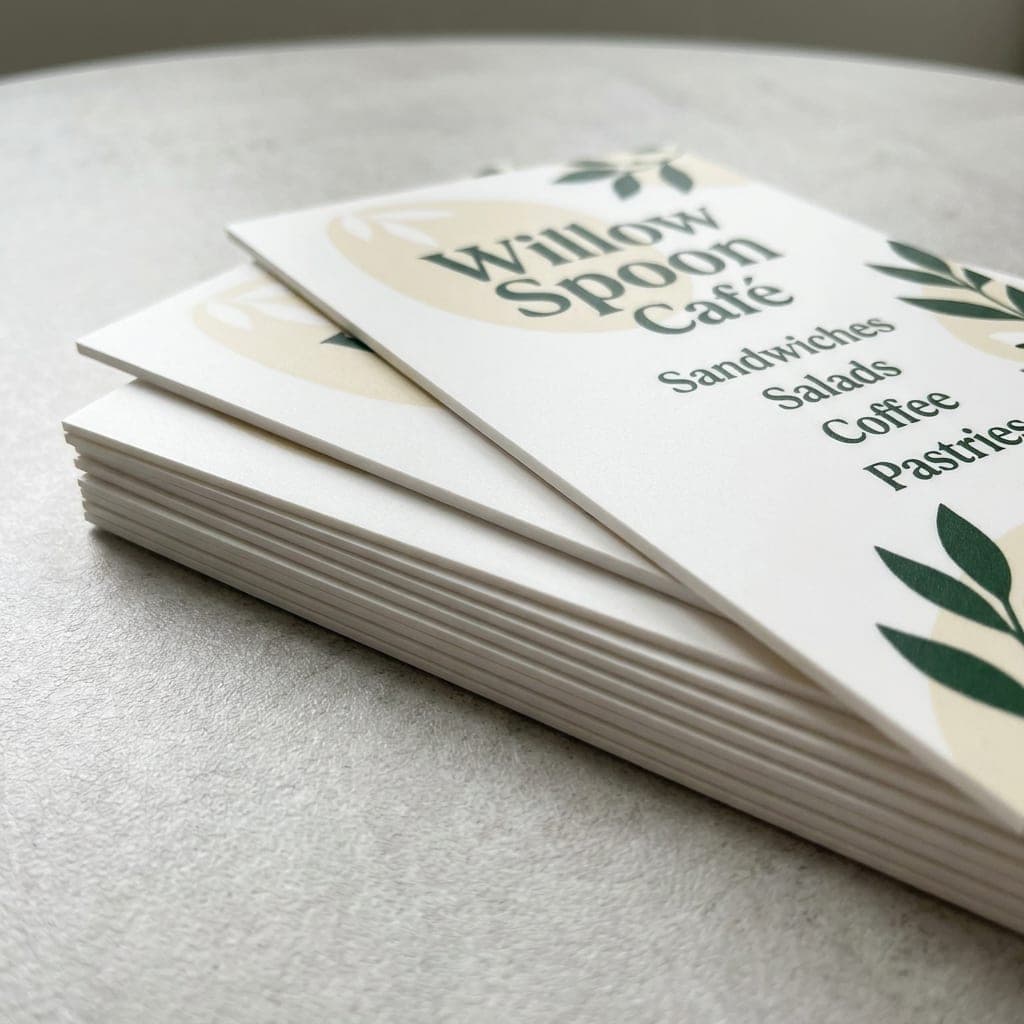
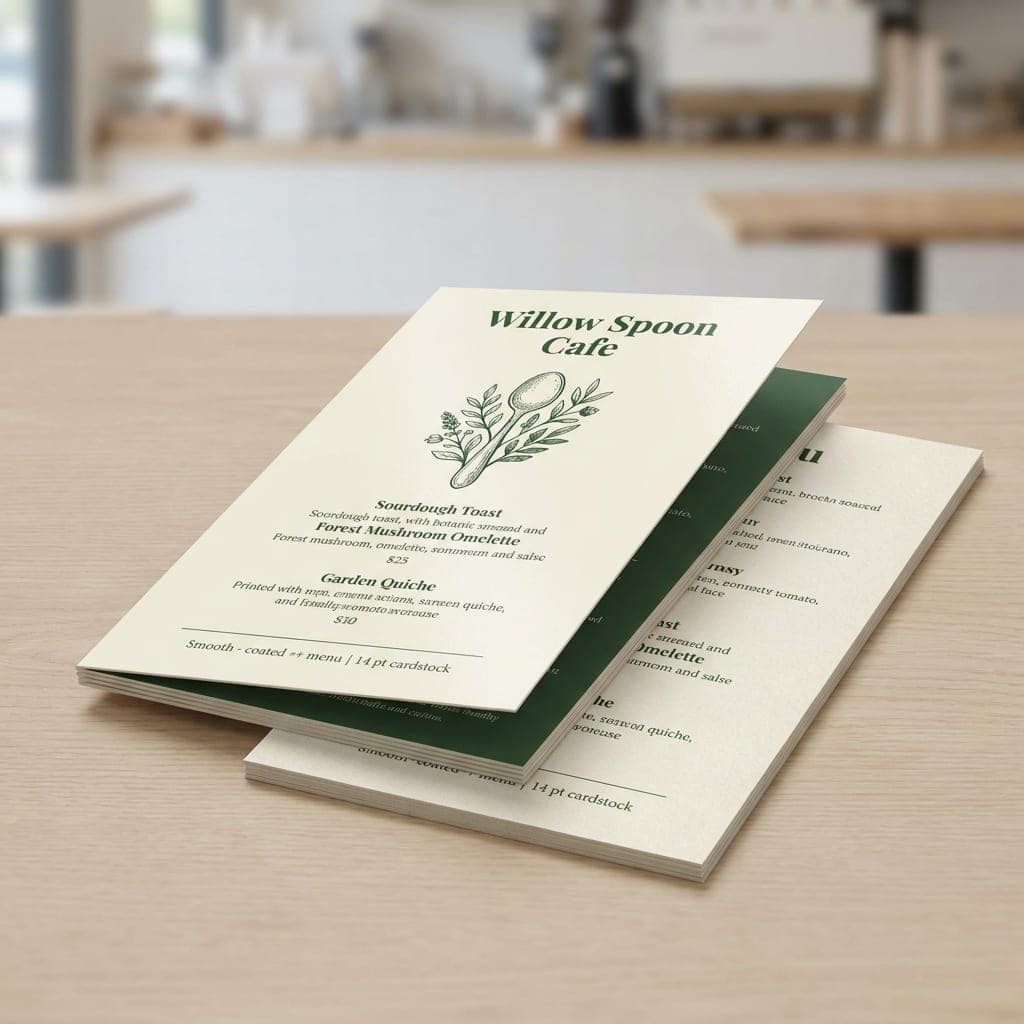
Menus from Minute Marketing are crafted to enhance your customer experience while showcasing your food and drink offerings in style.
- Sizes:
- 4" x 10" (folds to 4" x 2.5")
- 4" x 9"
- 4.25" x 11"
- 8.5" x 5.5"
- 8.5" x 11"
- 8.5" x 14"
- 11" x 17"
- Print Options:
- Full Color Both Sides
- Full Color Front, No Back
- Paper Stocks:
- 100 lb. Gloss Book
- 100 lb. Uncoated Cover
- 130 lb. Silk Cover
- 130 lb. Uncoated Cover
- 14 mil Synthetic
- 14 pt. Coated One Side
- 14 pt. Coated Both Sides
- 16 pt. Coated Both Sides
- Folding:
- Double Parallel Fold
- Flat
- Folded
- Finishing Options:
- Standard (coating depends on quantity)
- Laminated
- Gloss
- Matte
- Soft Touch
- Proofs:
- A digital proof for every order. Nothing prints until you approve it.
- Delivery:
- Local pickup or shipping. Rates and any sales tax are calculated at checkout.
- More Info:
- Include a small takeaway menu with an order or leave copies at your checkout so customers can keep your selection and ordering details at home.
- Mail menus to repeat customers or distribute copies to nearby businesses and neighbors. Add your address, hours and phone number so readers know how to order.
- Show a few popular dishes with clear photos, descriptions and prices. If you add a coupon, include its terms and expiration date.
- On 100 lb. Gloss Book mini menus, runs of 250 or more receive aqueous coating. Runs of 100 or fewer are printed digitally without added coating. Other stocks retain their separate finishing choices.
- Use a compact menu for a short selection or a larger sheet for a full menu. Restaurants, coffee shops, salons and spas can use the same format for food, drinks or services.
- Upload artwork for each printed side and review the digital proof for spelling, prices, image placement and panel order before approving it for print. You may also request a manually checked PDF proof for an additional fee; our team checks file specifications and contacts you about any issues. Processing includes one uploaded file set and one proof.
- Fast turnaround helps you get new menus into circulation. Production starts after payment and artwork approval; shipping time is additional. Ask our team about the current schedule and expedited delivery options.
All of our paper stocks are premium quality and printed in full color.
- 100 lb
100 lb. Gloss Book
About this paperFlexible gloss book paper with a bright surface for food photography. Aqueous coating is included on runs of 250 or more; smaller runs are digitally printed without added coating.
- 100 lb. / 5 pt. thickness
- Smooth sheen; flexible like a catalog cover
- Coated runs help resist surface damage
 100 lb
100 lb. Uncoated Cover
About this paperA natural surface for a simple menu design.
- 100 lb. cover weight
- Uncoated stock before finishing
- Natural paper surface
 130 lb
130 lb. Silk Cover
About this paperHeavy cover stock with a smooth silk surface.
- 130 lb. cover weight
- Silk surface
- Smooth cover stock
 130 lb
130 lb. Uncoated Cover
About this paperA heavier uncoated cover for a substantial menu.
- 130 lb. cover weight
- Uncoated stock before finishing
- Heavier than 100 lb. cover
14 mil Synthetic
About this paperA synthetic alternative to paper cover stocks.
- 14 mil thickness
- Synthetic material
- Alternative to paper cover stock
 14 pt
14 pt14 pt. Coated One Side
About this paperCard stock coated on one side, with different surfaces front and back.
- 14 pt. thickness
- Coated on one side
- Different front and back surfaces
 14 pt
14 pt14 pt. Coated Both Sides
About this paperCard stock coated on both faces for two-sided layouts.
- 14 pt. thickness
- Coated on both sides
- Matching coated faces for two-sided layouts
 16 pt
16 pt16 pt. Coated Both Sides
About this paperA thicker coated card for a firmer feel.
- 16 pt. thickness
- Coated on both sides
- Thicker than 14 pt. card
- Double Parallel Fold:
- Fold the 4" x 10" sheet in half, then in half again in the same direction. The finished menu is 4" x 2.5", with four panels on each side and eight printed panels in total.
- Flat:
- An unfolded sheet keeps each printed side in view. Use it for counter menus, drinks or dessert lists.
- Folded:
- Separate your menu into panels for a cover and interior sections. Confirm the fold pattern and finished panel dimensions with our team before laying out your artwork.
Choose Double Parallel Fold for the compact 4 x 10 format. Flat and Folded remain available for our other sheet sizes; confirm their panel dimensions before designing.
Make a folded paper mockup to check the reading order. Keep item names, prices and contact details away from creases, and confirm your stock and finish choices with our team.
- Bleed:
- Extend backgrounds and images 0.125" beyond every trim edge. Add 0.25" to each sheet dimension for the full file size.
- Safe Zone:
- Keep text, prices and logos at least 0.125" inside the trim edges and away from fold lines.
- Resolution:
- Use 350 dpi images at the final printed size for compact mini menus.
- Color Mode:
- Prepare artwork in CMYK. Printed colors can differ from a screen preview.
- File Formats:
- Print-ready PDF preferred; PNG, JPG and TIFF are also accepted. Flatten image layers and embed or outline PDF fonts.
- File Size:
- Check the current per-file upload limit in the upload window. Contact our team if your artwork exceeds it.
- Printed Sides:
- Supply one page per printed side. For two-sided folded menus, prepare an outside spread and an inside spread at the full sheet size, with matching orientation.
- Folding:
- Confirm the fold pattern and panel widths before laying out folded menus. Make a paper mockup to check the cover, panel sequence and inside orientation. Keep fold guides out of the exported artwork.
- Proof:
- Review the digital proof for trim, readable prices, spelling, images and front/back orientation. Confirm folded panel placement with our team before approving artwork for printing.
- Manual PDF Proof:
- Request a manually processed PDF proof for an additional fee. We check the file specifications, contact you if corrections are needed, and send a proof for approval. Ask our team for the current proof schedule; weekends and holidays can affect processing.
- Included Processing:
- Processing covers one uploaded file set and one proof. Review an instant proof carefully: choosing it does not include another proof. Contact our team about physical-media submission before sending files; review starts after files arrive.
Incorrect dimensions, missing bleed or unclear panel order may require artwork changes before approval. Check your order status in your account and contact our team with file questions.
- 4" x 10" Mini Menu:
- File with bleed: 4.25" x 10.25". Four panels per side; finished size 4" x 2.5". Confirm fold guides with our team.
- 4" x 9" Sheet:
- File with bleed: 4.25" x 9.25".
- 4.25" x 11" Sheet:
- File with bleed: 4.5" x 11.25".
- 8.5" x 5.5" Sheet:
- File with bleed: 8.75" x 5.75".
- 8.5" x 11" Sheet:
- File with bleed: 8.75" x 11.25".
- 8.5" x 14" Sheet:
- File with bleed: 8.75" x 14.25".
- 11" x 17" Sheet:
- File with bleed: 11.25" x 17.25".
- Folded Layouts:
- Use the full sheet dimensions above for each spread. Confirm panel dimensions and fold direction with our team; the finished folded size depends on the agreed layout.
Set up trim and safe-zone guides, keeping text at least 0.125" inside trim and away from creases. Remove guides from the exported artwork. Use 350 dpi images for compact mini menus, CMYK color, flattened image layers and embedded or outlined PDF fonts.
Upload your own PDF, PNG, JPG or TIFF, or ask our team for help planning a takeaway, dessert or service menu layout.
Honest Pricing Guarantee
We keep our pricing clear so you can compare options and plan your print budget. Your selection shows its subtotal before shipping; review any design, proof or delivery charges before placing your order. Displayed catalog prices are samples while final pricing is being prepared.